Do You Need AI to Search Facebook Marketplace?
You search “AI for Facebook Marketplace” and get two kinds of results. Meta’s announcement about AI listings and auto-replies, and a pile of tools promising an agent that finds deals for you. Both sound like the future. For a buyer, the useful part is smaller than the marketing suggests, and the risky part is easy to miss.

What Meta’s own AI does on Marketplace
On March 12, 2026, Meta announced four AI features for Marketplace. Upload photos and Meta AI drafts the listing, fills in the details, and suggests a price based on similar items in your area. Turn on auto replies and Meta AI answers “is this still available?” using the description, pickup location, and price from the listing. Buyers now see an AI summary at the top of a seller’s profile with their listing history and ratings. Shipping labels got easier too.
Every one of those is a seller tool. As a buyer, the only thing you get is the profile summary. Nothing changed about how you search.
Marketplace search was already an AI before this announcement. Meta’s Transparency Center describes the Marketplace ranking system as a set of models that predict which listings you’ll find relevant, using signals like your activity, location, category, condition, and price. It also hides listings that resemble ones you’ve hidden before. So the AI question isn’t whether to add one. An AI already sits between you and the listings. It just optimizes for Meta’s idea of relevance, and it never tells you what it left out.

Can AI search Facebook Marketplace for you?
Not the way most people try it first. If you ask ChatGPT, Claude, or Gemini to find a couch under $200 near you, the model has two things to work with: what it learned in training and what a web search returns. Facebook gives Marketplace no public API, and most listing pages sit behind a login, so search engines index only a thin slice of them. The model will answer with confidence and give you listings that were sold last month, live in another city, or never existed. It can’t open Marketplace and look.
The tools that do search it all work the same way underneath. There are open source projects on GitHub for this. You install one, it launches a browser on your PC, logs into your Facebook account, and reloads your searches on a loop. Each new listing then goes to an AI wrapper with a system prompt that says, in short, rate this from 1 to 10, is it good or bad. Listings under your threshold get dropped. Your computer has to stay on, your account is the one doing the scraping, and you solve the CAPTCHAs when Facebook notices.
Lotify runs all of that in the cloud. Nothing to install, nothing to keep running, no login handed to a script. The other difference is the last step, and that one matters more.
Free Trial Available
Lotify offers a 7-day free trial with no registration or credit card required. Test it out and see how many deals you’ve been missing.
Why you shouldn’t let AI judge listings
A Marketplace listing is three phone photos and a sentence. That’s all the model gets.
Look at the sample notification in the ai-marketplace-monitor README. It rates a GoPro “Great deal (5)” and explains: well-priced, well-maintained, includes an extra battery and charger. The model never held the camera. “Well-maintained” came from a photo. If the seller had written “read description” in the title and put the real condition in the text, or shot the box instead of the item, the same model would have rated it wrong in the other direction. With a threshold of 4, that listing gets dropped, and you never learn it existed.
That’s the problem with scoring. A wrong high score wastes a tap. A wrong low score costs you the deal, and you can’t audit what you didn’t see. Scam detection has the same shape. A model can’t tell a lazy seller from a fake one; it can only guess from the same three photos you’d guess from.
You know the category. You know that the price on a listing for a fridge sometimes means the delivery fee, that “smart TV 55” with a $40 price tag is probably a typo worth a message, that a fuzzy photo from a grandma’s kitchen is a better sign than a stock image. The model knows averages.
What Lotify does instead
Lotify does not score listings. You set the keywords, the price range, and the location once. Then the Facebook Marketplace listing alert arrives in Telegram within seconds, with the title, price, photo, and a direct link. You open it and decide.
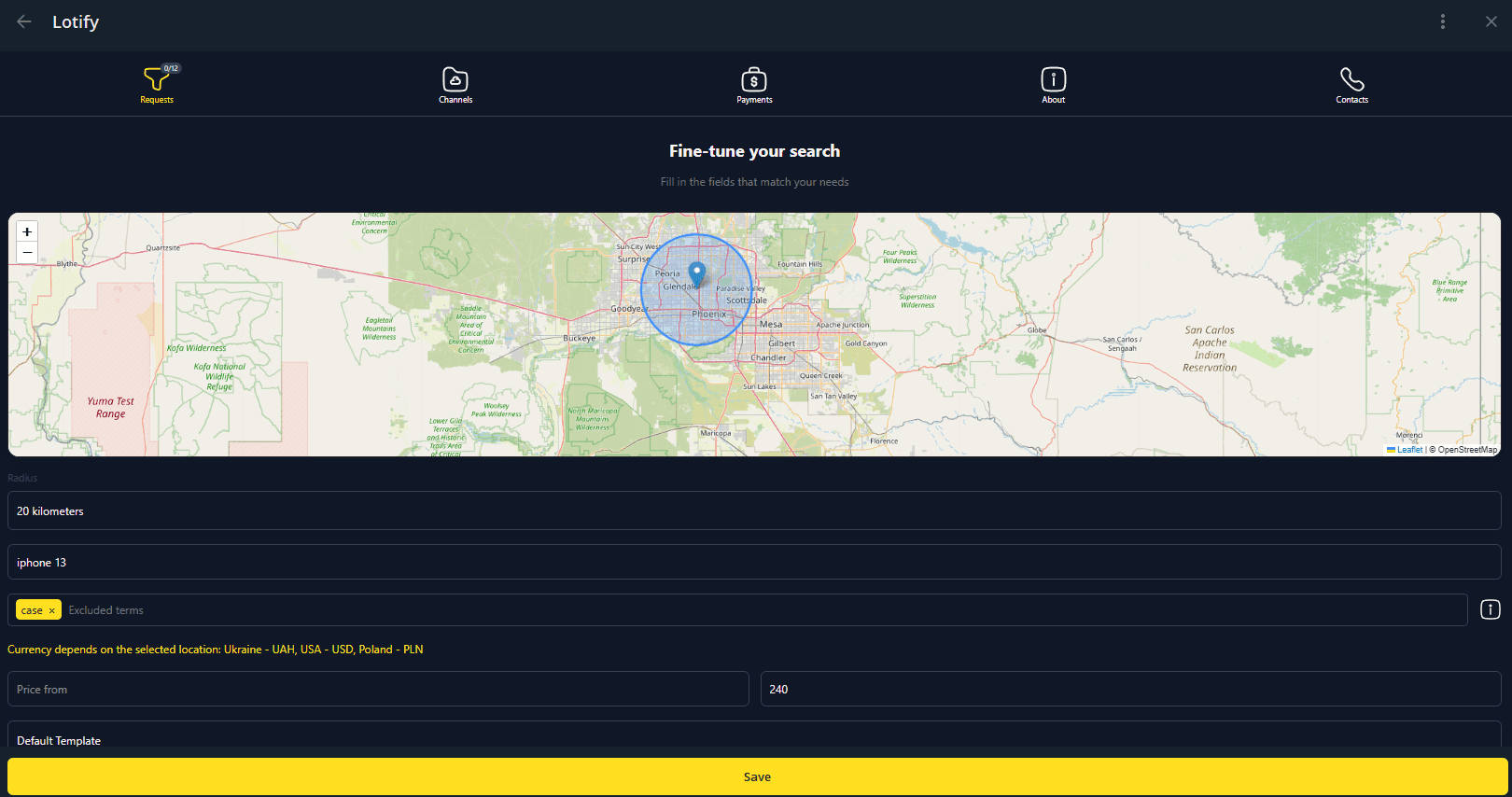
Nothing gets filtered by a model’s opinion. The filters you set are the only filters. There’s no Facebook login handed to a script and no browser left running on your laptop. If you also hunt on eBay or OLX, the same bot covers those.
FAQ
Does Facebook Marketplace already use AI?
Yes, and it did long before Meta announced anything. Meta’s Transparency Center describes the Marketplace ranking system as a set of models that predict which listings you’ll find relevant, using signals like your activity, location, category, condition, and price. It also hides listings that resemble ones you’ve hidden before. An AI already sits between you and the listings — it just optimizes for Meta’s idea of relevance, and it never tells you what it left out.
What did Meta’s March 2026 Marketplace AI update actually add?
Four features, announced on March 12, 2026: Meta AI drafts a listing from your photos and suggests a price based on similar items in your area, auto replies answer “is this still available?” from the listing details, buyers see an AI summary at the top of a seller’s profile, and shipping labels got easier.
Every one of those is a seller tool. As a buyer, the only thing you get is the profile summary. Nothing changed about how you search.
Can ChatGPT, Claude, or Gemini search Facebook Marketplace for me?
Not the way most people try it first. Facebook gives Marketplace no public API, and most listing pages sit behind a login, so search engines index only a thin slice of them. A chat model has training data and a web search to work with, and it can’t open Marketplace and look. It will answer with confidence and give you listings that sold last month, live in another city, or never existed.
How do AI Marketplace monitors actually work?
The open source projects on GitHub all work the same way underneath. You install one, it launches a browser on your PC, logs into your Facebook account, and reloads your searches on a loop. Each new listing goes to an AI wrapper with a system prompt that says, in short, rate this from 1 to 10, is it good or bad, and listings under your threshold get dropped.
That means your computer has to stay on, your account is the one doing the scraping, and you solve the CAPTCHAs when Facebook notices.
Should I let an AI score Marketplace listings for me?
A Marketplace listing is three phone photos and a sentence — that’s all the model gets. The scoring is asymmetric: a wrong high score wastes a tap, but a wrong low score costs you the deal, and you can’t audit what you didn’t see. Scam detection has the same shape, since a model can’t tell a lazy seller from a fake one. You know your category; the model knows averages.
How do I get Facebook Marketplace alerts without AI scoring?
Lotify does not score listings. You set the keywords, the price range, and the location once, and the alert arrives in Telegram within seconds with the title, price, photo, and a direct link. The filters you set are the only filters. Nothing to install, no Facebook login handed to a script, and no browser left running on your laptop.

2026-08-30
