How to Search eBay Worldwide Across Every Country Site
eBay gives you four location settings and leaves you on the one called Default. We ran all four on the same search. Three of them returned almost the same listings, and only one of those three was honest about what it was doing.
TL;DR
- Default is not worldwide. On ebay.com it returned ten more listings than US Only.
- Worldwide is the only setting that opens the search up, and it adds roughly a fifth more listings.
- North America adds almost nothing over US Only.
- The options aren’t the same on every eBay site. The UK has five, the US has four, and ebay.de has no Item Location filter at all.
- If clicking the filter does nothing, you can force it through the address bar.
- Change Item Location to Worldwide. Leaving it on Default is close to searching one country.
- Check which options your eBay site offers before following advice written for another one.
- If the filter panel won’t respond, put &LH_PrefLoc=2 on the end of the URL.
- Save the search once you have the filters right, so you don’t set them again every time.
- Open the local eBay site and use the local word when you’re hunting something common there.
- Read the delivery line before the price on anything shipping from far away.
What the four settings actually return
Same search, same day, ebay.com, signed out, All Categories, Include description off. The only thing that changed between runs was the Item Location setting.
| Item Location | Results | vs US Only |
|---|---|---|
| US Only | 322 | — |
| North America | 324 | +2 |
| Default | 332 | +10 |
| Worldwide | 393 | +71 |
Look at the first three rows. A setting called Default, a setting called North America and a setting called US Only return results within ten listings of each other. If you’ve never touched this filter, you’ve been shopping in one country.
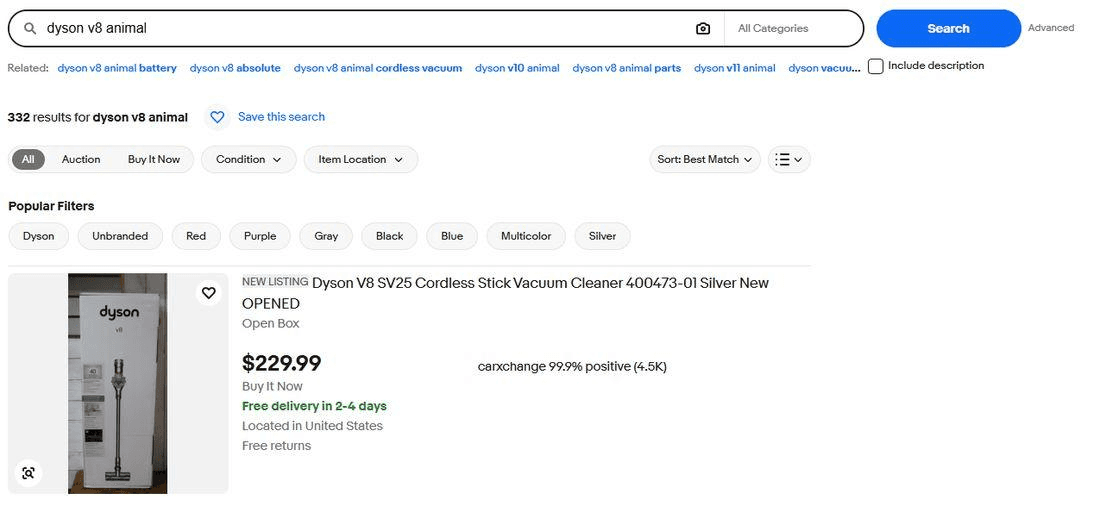
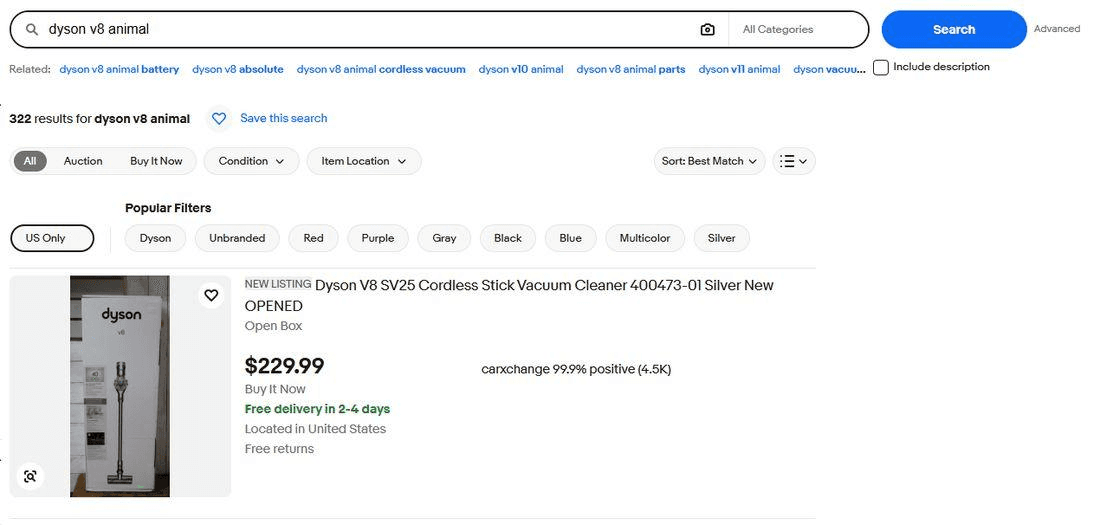
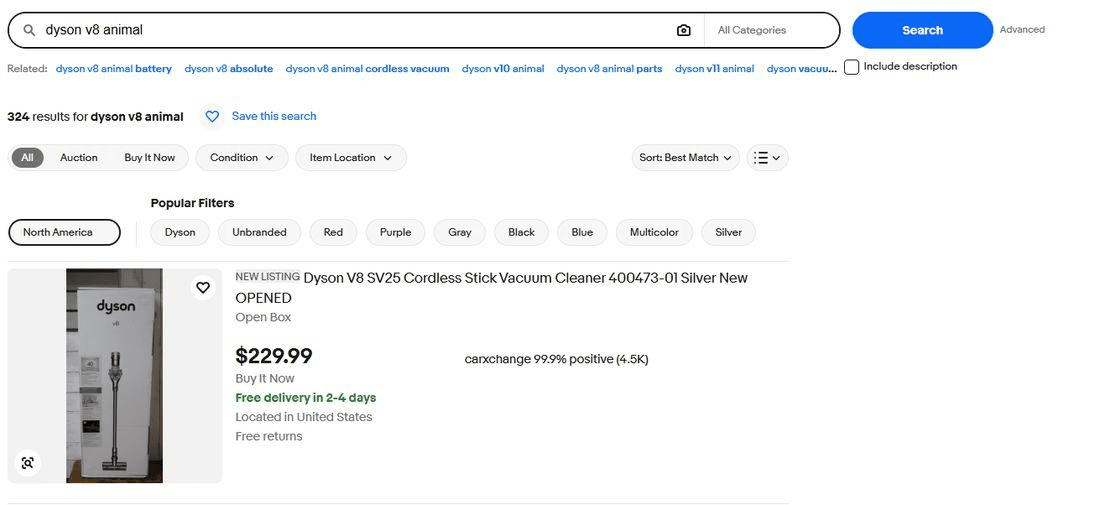
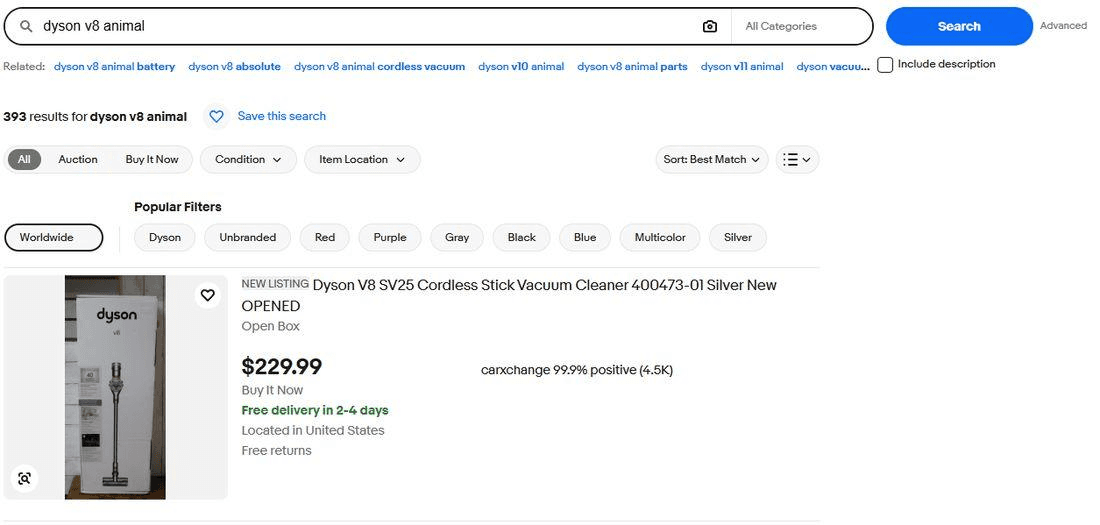
Worldwide is worth 71 listings here, about a fifth more than US Only. In a market this size that’s the difference between four pages of results and five, and the extra page is where the sellers nobody else is looking at tend to sit.
What Worldwide adds, and why eBay hides it behind a word like Default
Default isn’t a neutral setting. It shows listings in your own country plus overseas listings that can reach you quickly using the shipping the seller already offers. Worldwide shows those plus everything else, including listings that take weeks and listings where the shipping has to be arranged rather than clicked.
That’s a defensible way to build a shopping site. Most buyers want the thing in their hands this week, and a filter that surfaces a seller three continents away with no international shipping set up would annoy more people than it helps.
It’s a bad default for anyone hunting. The listings Default hides are the ones with the smallest audience competing for them, which is the same thing as saying they’re where the prices are softest.
The filter isn’t the same on every eBay site
This is the part no guide mentions, and it breaks the standard advice completely.
On ebay.com you get four options. Default, US Only, North America, Worldwide.
On ebay.co.uk you get five, and two of them don’t exist on the US site at all.
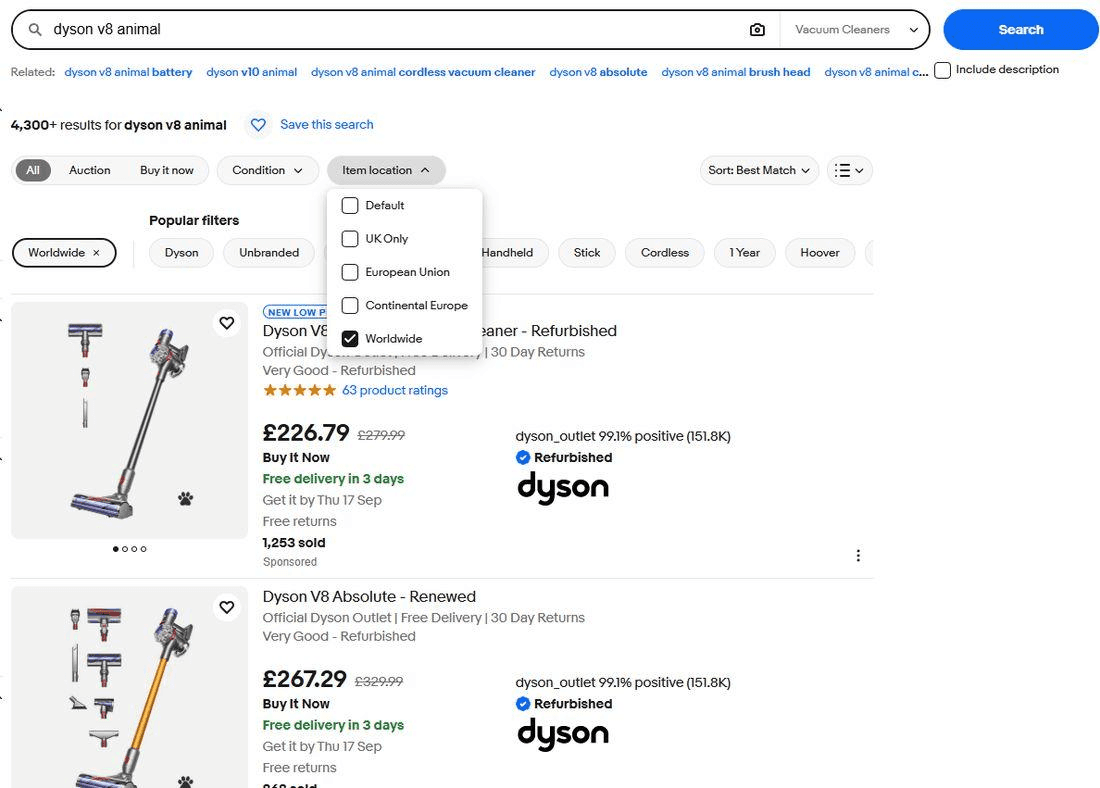
On ebay.de there’s no Item Location filter on the results page at all. The instruction to set location to Worldwide can’t be followed there, and the article telling you to do it won’t mention that.
So if you’re shopping from mainland Europe, the site you start on decides which controls you have. Starting on the UK site gives you a Continental Europe option that the US site can’t express, and starting on the German site gives you nothing to click.
Forcing the filter through the address bar
Buyers have complained for years that clicking an Item Location option does nothing, and the workaround has always been to put it in the URL yourself. We checked that it still works.
Run your search normally, then add &LH_PrefLoc=2 to the end of the address and press enter.
| Value | What you get on ebay.com |
|---|---|
| LH_PrefLoc=0 | Default |
| LH_PrefLoc=1 | US Only |
| LH_PrefLoc=2 | Worldwide |
| LH_PrefLoc=3 | North America |
The count matched what clicking the filter produced, so the parameter is live and not a leftover from an older version of the site. Keep it in mind for the days when the filter panel stops responding, which is the situation it exists for.
The numbering isn’t guaranteed to mean the same thing on other eBay sites, since the sites don’t even offer the same options. On a site with a Continental Europe choice the mapping clearly has to differ, so check what the filter produces before trusting a value you copied from a US guide.
Does the setting stick
Usually the complaint is that it doesn’t. The forums are full of buyers saying the location filter resets on every new search and that there’s no way to make it permanent.
In our test it held. We set Worldwide, typed an unrelated query into the search bar, and the filter was still on Worldwide in the new results.
We’re reporting that as what happened rather than as how eBay works, because the behaviour has plainly changed at least once and it may differ by account or by site. Check yours. If it doesn’t hold, two things do work. The eBay app lets you lock a filter so it applies to every search, through the filter customise menu. And a saved search keeps every filter you applied when you saved it, which is the closest thing to a permanent setting on the website.
Searching a country site directly instead
Worldwide on your home site and opening the German site aren’t the same move, and it’s worth knowing which one you want.
Going to the local site puts you in the local language, so you need the local word. A search for a vacuum brush on ebay.de finds more if you type Bürste. Sellers there write their titles in German, and eBay doesn’t translate your query for you. This is where most people give up, and it’s also why those listings have less competition.
The practical order is straightforward. Set Worldwide on the site you know first, since it costs nothing and picks up sellers who already ship to you. Go to the country site directly when you’re hunting something that’s common there and rare where you live.
Before you get excited about the extra listings
The listings Worldwide reveals are hidden for a reason, and some of them will waste your time.
- The seller may not ship to your country at all. The filter is about where the item is, not about where it can go.
- Shipping can cost more than the item, and the total is what matters.
- Customs and import charges land on you, and on a cheap item they can double the price.
- Delivery measured in weeks means a return, if you need one, is measured in more weeks.
Read the delivery line on the listing before the price. On a genuinely rare item the wait is worth it. On something you could get locally next week it isn’t.
Getting worldwide alerts instead of worldwide searches
Setting the filter is one search, one time. The harder problem is that the listing you want hasn’t been posted yet, and you can’t filter your way to something that doesn’t exist.
Lotify has the same location options you’ve just been clicking on eBay, and it applies them to alerts rather than to a results page.
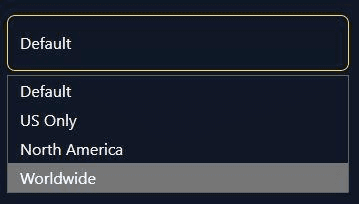
Pick Worldwide and the bot watches listings from everywhere as sellers post them, then sends each match to Telegram within seconds, with the photo, the price and the link. It doesn’t reset itself between searches and there’s no filter panel to re-click.
Free Trial Available
Lotify offers a 7-day free trial with no registration or credit card required. Test it out and see how many deals you’ve been missing.
It costs money after the trial, $19.99 a month for up to 12 searches, and it lives in Telegram. If you search eBay a few times a year, click Worldwide and you’re done. If you’re hunting something specific across several countries and checking daily, the filter was never the slow part.
FAQ
Is eBay’s Default location setting worldwide?
No. Default shows listings in your own country plus overseas listings that can reach you quickly using the shipping the seller already offers. In our test on ebay.com, Default returned 332 listings, US Only 322 and North America 324. Worldwide returned 393.
If you have never touched the Item Location filter, you have effectively been shopping in one country.
How do I search eBay worldwide?
Run your search, open the Item Location filter on the results page and choose Worldwide. It is the only setting that genuinely opens the search up. In our test it added 71 listings, about a fifth more than US Only.
Once the filters are right, save the search so you do not have to set them again every time.
What if clicking the Item Location filter does nothing?
Force it through the address bar. Run your search normally, then add &LH_PrefLoc=2 to the end of the URL and press enter. On ebay.com, 0 is Default, 1 is US Only, 2 is Worldwide and 3 is North America. We checked that the count matches what clicking the filter produces.
The numbering is not guaranteed to mean the same thing on other eBay sites, so check what the filter produces before trusting a value copied from a US guide.
Why can’t I find the Item Location filter on ebay.de?
Because ebay.de has no Item Location filter on the results page at all. The options differ by site: ebay.com has four (Default, US Only, North America, Worldwide), and ebay.co.uk has five, including European Union and Continental Europe, which have no equivalent on the US site.
Does the eBay location filter stay set between searches?
In our test it held: we set Worldwide, typed an unrelated query, and the new results were still on Worldwide. Many buyers report that it resets, and the behaviour may differ by account or by site, so check yours.
If it does not hold, the eBay app lets you lock a filter so it applies to every search, and a saved search keeps every filter you applied when you saved it.
What should I check before buying an item from overseas on eBay?
Whether the seller ships to your country at all (the filter is about where the item is, not where it can go), the total with shipping, the customs and import charges you will pay, and how long delivery and any return would take. Read the delivery line on the listing before the price.

2026-09-14
