Why Is Facebook Marketplace So Slow?
“Facebook Marketplace is slow” means a different thing depending on what brought you here.
- Maybe the page lags: you scroll, the photos hang, you type a message and the letters show up five seconds later.
- Maybe search is slow: a friend posts a listing and you can’t find it for hours.
- Maybe the alerts are slow: the saved search email lands a day after the item sold.
- Or maybe Marketplace is fine and you have fourteen category tabs open, refreshing each one every few minutes, and your browser gave up.
Each one has a different cause and a different fix.

Why the page lags
Marketplace is one of the heaviest parts of Facebook. Every scroll loads a fresh row of listing photos, the ranking system reshuffles what you see, and the same tab is also running Messenger, notifications, and whatever tracking Facebook attaches to a page where money changes hands.
The fixes here are the boring ones:
- Update the browser
- Clear the cache
- Turn off extensions, ad blockers first
- On a phone, check that background refresh is on and battery saver isn’t putting the Facebook app to sleep
- If the full app still crawls, Facebook Lite or Marketplace in a mobile browser tab uses far fewer resources
None of this is exciting, and it does solve most page lag.
Why new listings take hours to show up
This is the slowness you can’t fix in settings. A listing does not become searchable the moment a seller hits publish. It goes through review and indexing first. Sellers report listings appearing in minutes on a good day and sitting invisible for most of a day on a bad one. Services that poll Marketplace for a living describe delays from a few hours up to two days depending on volume, category, and the seller’s account history.
Then ranking gets involved. Meta’s Transparency Center describes Marketplace as an AI system that predicts which listings you’ll find relevant, using signals like your activity, location, category, condition, and price. Relevance, not recency. A listing posted ten minutes ago has no views, no saves, and no messages, so it ranks below a three-day-old listing that already has buyer interest. The freshest items, the ones still available, land at the bottom unless you switch the sort to newest by hand.
Why alerts arrive late
Saved search notifications are the third layer. Facebook batches them, roughly once a day, and the “Notify me” toggle is unreliable enough that people with every setting turned on still report getting nothing. Push notifications on the app can arrive faster, and can also get throttled by your phone’s battery settings before they reach the lock screen.
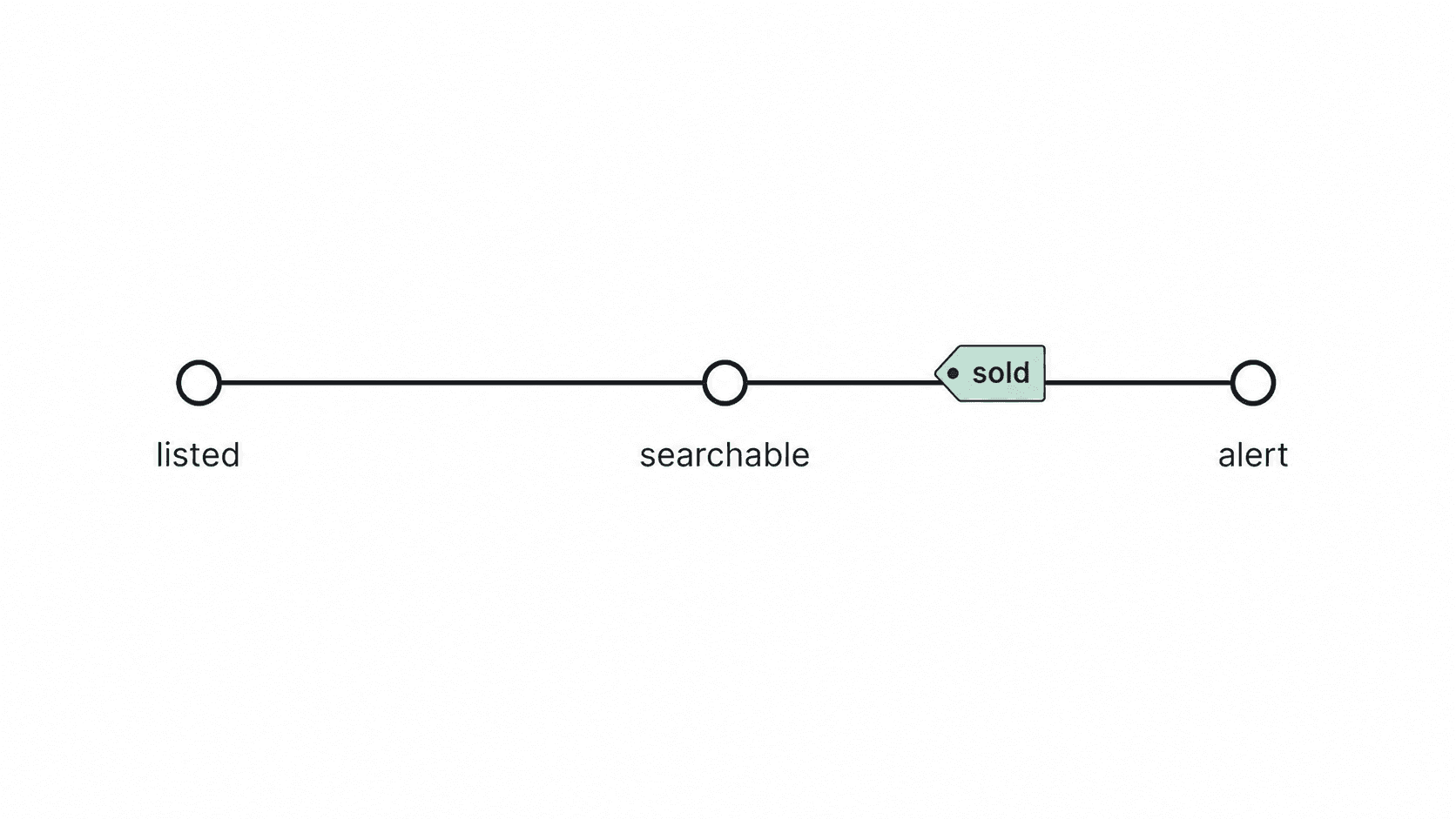
Stack the three delays and the timeline looks like this. A seller lists a couch at noon. It becomes searchable sometime that evening. Your alert, if it fires, shows up the next morning in a summary with a dozen other items. By then the couch has had a full day of messages.
Or you just have too many tabs open
There’s a fourth kind of slow that nobody blames on Facebook. You search a lot. Consoles in one tab, bikes in another, a saved search per neighborhood, sort by newest on each, refresh, refresh, refresh. Every tab holds a full copy of Marketplace with its photos and scripts, and after an hour your laptop fan is the loudest thing in the room.
That’s the setup that produces most “why is Marketplace so slow” complaints from serious buyers. The page isn’t broken. You’re running a monitoring service by hand, in a browser that was never meant to be one.
If that’s you, the browser fixes won’t help and neither will patience. You need something that does the refreshing for you.
Lotify watches Facebook Marketplace for you and sends every matching listing to Telegram within seconds of it appearing. You set the keywords, price range, and location once. Each alert carries the title, price, photo, and a direct link.
Free Trial Available
Lotify offers a 7-day free trial with no registration or credit card required. Test it out and see how many deals you’ve been missing.
Nothing to install, no browser tab to keep open, no Facebook login handed to a script. If you also hunt on eBay or Vinted, the same bot covers those.
FAQ
Why is Facebook Marketplace so slow to load?
Marketplace is one of the heaviest parts of Facebook. Every scroll loads a fresh row of listing photos, the ranking system reshuffles what you see, and the same tab is also running Messenger, notifications, and whatever tracking Facebook attaches to a page where money changes hands.
How do I make Facebook Marketplace load faster?
The fixes are the boring ones: update the browser, clear the cache, and turn off extensions — ad blockers first. On a phone, check that background refresh is on and that battery saver isn’t putting the Facebook app to sleep. If the full app still crawls, Facebook Lite or Marketplace in a mobile browser tab uses far fewer resources.
None of this is exciting, and it does solve most page lag.
Why do new Facebook Marketplace listings take hours to show up?
A listing does not become searchable the moment a seller hits publish — it goes through review and indexing first. Sellers report listings appearing in minutes on a good day and sitting invisible for most of a day on a bad one. Services that poll Marketplace for a living describe delays from a few hours up to two days depending on volume, category, and the seller’s account history.
This is the slowness you can’t fix in settings.
Why are old listings ranked above new ones?
Because Marketplace ranks for relevance, not recency. Meta’s Transparency Center describes it as an AI system that predicts which listings you’ll find relevant, using signals like your activity, location, category, condition, and price. A listing posted ten minutes ago has no views, no saves, and no messages, so it ranks below a three-day-old listing that already has buyer interest. The freshest items land at the bottom unless you switch the sort to newest by hand.
Why are my Facebook Marketplace alerts always late?
Facebook batches saved search notifications, roughly once a day, and the “Notify me” toggle is unreliable enough that people with every setting turned on still report getting nothing. Push notifications on the app can arrive faster, and can also get throttled by your phone’s battery settings before they reach the lock screen.
Stack the three delays and a seller who lists a couch at noon has an item that becomes searchable that evening and reaches your inbox the next morning, in a summary with a dozen other items.
How do I stop refreshing Marketplace tabs all day?
Hand the refreshing to something built for it. Lotify watches Facebook Marketplace for you and sends every matching listing to Telegram within seconds of it appearing. You set the keywords, price range, and location once, and each alert carries the title, price, photo, and a direct link. Nothing to install, no browser tab to keep open, and no Facebook login handed to a script.

2026-08-30
