How to fix eBay Saved Search
If you buy on eBay regularly, you have probably used “Saved Searches” at least once. The feature is simple: instead of checking the same search results manually every few minutes, you let eBay track new listings for you automatically.
For many buyers, especially resellers and collectors, saved searches become part of the daily routine. Instead of constantly refreshing pages, you wait for eBay to notify you when a new matching item appears. In theory, this should help you react faster and catch good deals before everyone else. But in reality, many users eventually run into the same issue: alerts arrive too late.
That is why searches like “eBay saved search notifications not working” have become so common. Most of the time, notifications are technically working, they are just delayed enough to make you miss valuable listings.
What Are eBay Saved Searches
Saved searches allow users to monitor specific keywords and filters automatically. Once a new listing matches your criteria, eBay sends a notification through email, push alerts, or the app itself.
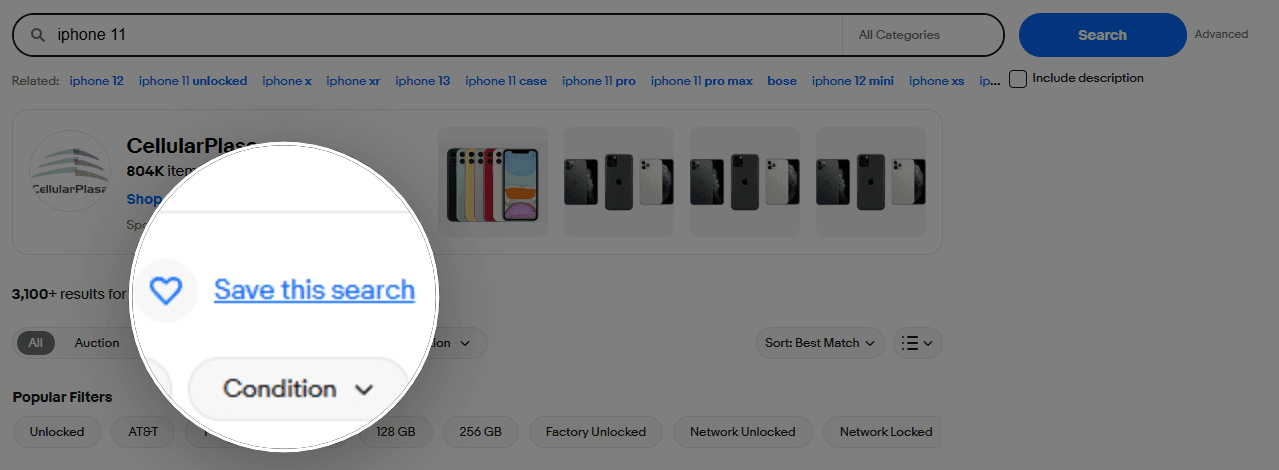
The system is designed to help users avoid manually searching for the same products over and over again.
For example, you can save searches for:
- Rare sneakers
- Camera gear
- Vintage electronics
- Smartphones
- PC components
- Consoles
- Car parts and aftermarket accessories
- Tools and workshop equipment
You can also apply filters such as price range, item condition, shipping location, or auction type before saving the search. After that, eBay continuously scans new listings that match your setup.
How eBay Sends Saved Search Alerts
Most users primarily rely on email notifications. This is why searches like “not receiving eBay saved search emails” or “eBay saved searches emails not working” appear so frequently online.
However, eBay actually uses several notification methods:
Email Notifications
The platform sends emails when matching listings appear. These emails usually include newly listed products, price drops, or items that closely match your saved keywords and filters. For many users, email remains the main way to track saved searches because it works even when they are not actively using the app.
Push Notifications
If you use the mobile app, eBay may also send push alerts directly to your phone. These notifications are often faster than emails and can appear almost instantly after a new listing is published. Push alerts are especially useful for competitive categories like electronics, sneakers, collectibles, or limited-edition products where timing matters.
In-App Alerts
Some notifications appear only inside your eBay account notification center. Users may miss these alerts if they do not regularly open the app or check their account dashboard. In-app notifications are commonly used for recommendation updates, watched items, and saved search activity that may not trigger an email.
Even with all of these systems combined, delivery speed is still inconsistent. Some users receive alerts within minutes, while others notice delays or completely miss listings that match their saved searches.
The Main Problem With eBay Saved Searches
The biggest issue is not complete failure. The real problem is delay.
Many users expect some kind of instant notification system, but that is usually not how eBay saved searches work. Even when everything functions correctly, alerts may arrive 10 minutes late or more. In competitive categories, 10 minutes is often enough to miss a great deal completely.
This becomes especially frustrating for resellers and deal hunters who depend on speed. A listing can appear on eBay, get discovered by other buyers, and sell out before your notification even reaches your inbox.
Delayed Notification Processing
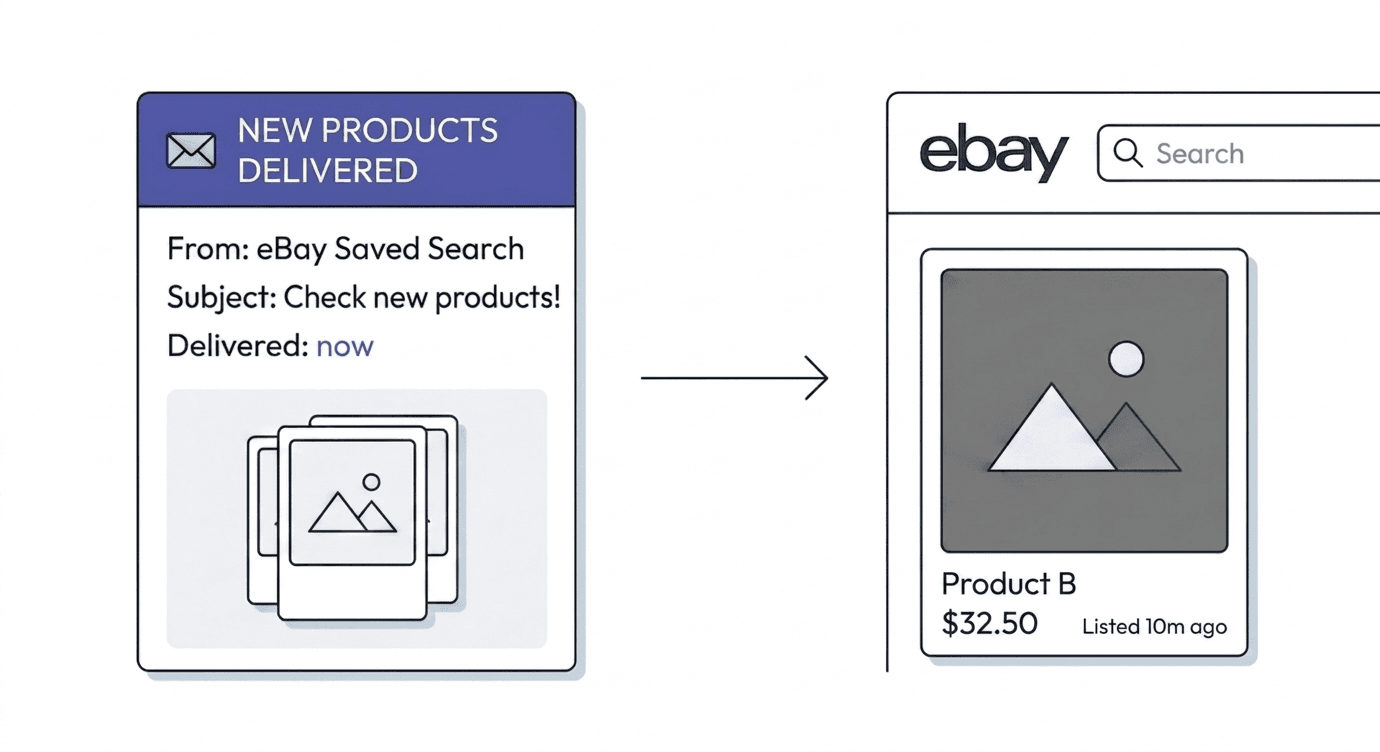
One major reason is that eBay does not process saved search alerts in real time. Notifications are often grouped into batches and sent with delays to reduce system load and avoid excessive notification traffic.
Email Delivery Delays
Email providers can slow delivery even further. In some cases, the alert is generated on time by eBay but arrives late because of filtering, syncing delays, or device notification settings.
Why Delayed Notifications Cost You Deals
A common situation looks like this: you receive an email about a newly listed item, open the listing right away, and notice that it was posted 10 minutes earlier. By that time, another buyer may have already purchased it.
This happens quite often with eBay “Saved Searches”. The notification itself works, but the delay makes it less useful for fast-moving categories. That is why many users accuse eBay saved search instant notifications of not working at all, when in reality the alerts are simply arriving too late to be useful.
Tired of eBay saved search emails arriving too late?
Lotify monitors new eBay listings in real time and pings you the second a match appears. 7-day free trial, no card required.
Alternatives to Standard eBay Saved Searches
Users who depend on speed often switch to external tracking tools or custom monitoring systems instead of relying only on standard eBay Saved Searches.
One of these tools is Lotify, which is built around real-time eBay listing monitoring. Instead of waiting for delayed saved search emails, the Lotify bot continuously checks new listings as they appear and sends alerts almost immediately after a match is found.
Unlike standard eBay alerts, which can arrive several minutes later, this kind of system focuses on reducing the gap between “item listed” and “you get notified”. In competitive categories, that difference can be the deciding factor.
How to set up eBay Saved Search alerts with Lotify
Setting it up with Lotify is straightforward.
You go to the Telegram bot @lotifybot, choose the eBay marketplace, and select your eBay location. Then you create your search query and adjust flexible filters like price range, category, or item condition.
After that, you start receiving notifications whenever a matching item appears on eBay. From that point on, new listings are tracked automatically, without needing to refresh or repeat searches manually.
Why this matters for fast-moving deals
In categories like electronics, collectibles, or limited items, good deals often sell very fast. Even a small delay can mean losing the item completely.
This is where faster monitoring tools become useful. Instead of relying on batch-processed notifications, they focus on reacting to listings as soon as they go live, which helps reduce the gap between listing time and alert time.
Frequently asked questions
How to set up eBay Saved Search alerts correctly?
You can create a Saved Search directly on eBay by entering your query, applying filters, and saving it. Then make sure notifications are enabled in your account settings. You can also use Lotify for faster, real-time alerts instead of relying only on standard eBay notifications.
How do eBay Saved Search alerts work?
Saved searches monitor your selected keywords and filters. When a new listing matches your criteria, eBay sends a notification via email, push notification, or inside the app. However, the timing depends on processing and delivery systems.
Are eBay Saved Searches instant?
No, “Saved Searches” are not truly instant. Even when they work correctly, there can be a delay between when a listing goes live and when you receive the notification. This delay can sometimes be several minutes.
Why do eBay Saved Search alerts arrive late?
There are a few reasons: eBay often processes alerts in batches, email providers may slow down delivery, and mobile devices can delay push notifications due to battery-saving settings. All of this can affect timing.

2026-05-24
