Facebook Marketplace scams every buyer and seller should know
Facebook Marketplace has over a billion monthly users and no real vetting of who sells or buys. That combination attracts fraud. In 2024, UK bank TSB estimated that around 34% of Marketplace listings it reviewed could be scams, and 73% of the purchase fraud reports it received traced back to the platform. In the US, the FTC reports that Americans have lost more than $2.7 billion to social media scams since 2021, and surveys consistently put Facebook at the top of the list of platforms where people meet scammers.
So how common are scams on Facebook Marketplace? Common enough that you should treat every listing and every buyer message as unverified until proven otherwise. This guide covers the most common Facebook Marketplace scams on both sides of the deal, the warning signs, how to keep the transaction itself safe, and what to do if you’ve already been scammed.
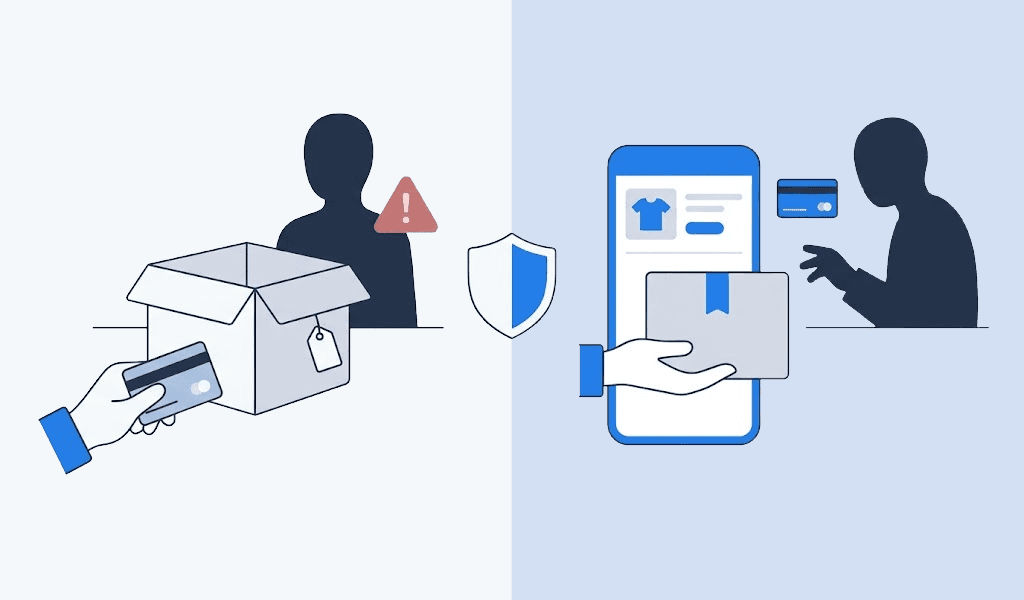
The two types of scams on Facebook Marketplace
Seller scams target you when you’re buying. The person on the other end has no product, a fake product, or a broken one, and their goal is to get your money (or your data) before you figure that out.
Buyer scams target you when you’re selling. The “buyer” wants your item without paying, or wants to use the transaction to steal payment details, verification codes, or your phone number.
Scammers on Facebook Marketplace run both playbooks, and some tricks (fake accounts, QR codes, phishing links) show up on either side.
What makes Marketplace particular is how little sits behind you when something goes wrong. Most deals here are local, in cash, and arranged in a chat, so there is no checkout to appeal to afterwards. On a platform with real buyer protection the same people work differently — see our guide to eBay scams, where nearly every trick is built around dodging the Money Back Guarantee rather than the absence of one.
Common seller scams (when you’re the buyer)
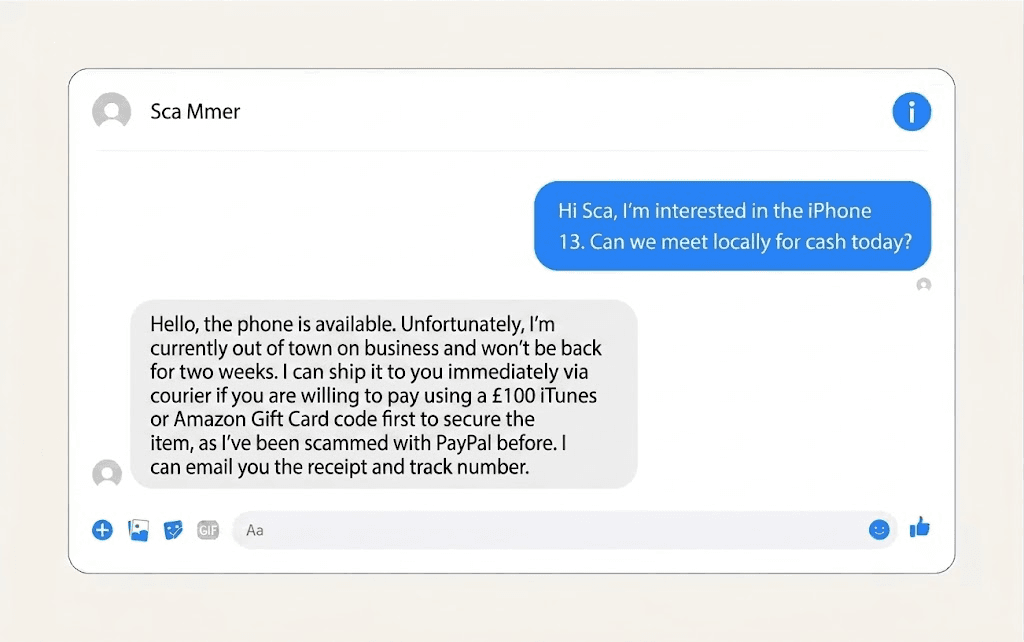
Bait-and-switch items
The listing shows a clean, well-priced item. When you show up or ask questions, that item is suddenly “just sold,” but the seller happens to have a similar one for more money, or in worse condition. The original listing was bait. Walk away the moment the item you came for stops being available.
Counterfeit items
Sneakers, designer bags, perfume, phone accessories, even power tools. The photos are stolen from the brand’s site, the price is 40 to 70% below retail, and the item that arrives is fake. Ask for photos of the actual item with a handwritten note next to it, serial numbers where they exist, and proof of purchase. A seller of a genuine item usually has all three.
Faulty products
Electronics are the usual target. Phones with iCloud locks, consoles that won’t boot, appliances that die a day later. The scam works because you can’t fully test the item in a parking lot. For phones, check the IMEI and make sure the previous account is signed out before money changes hands. For anything with a power button, test it on site.
Rental scams
Someone copies photos from a real rental listing, posts it cheaper on Marketplace, and asks for a deposit or first month’s rent to “hold” the apartment, often claiming they’re out of town and can’t show it. The property is real. The person listing it isn’t the owner. Never pay a deposit for a rental you haven’t seen inside, and be suspicious of any landlord who can’t meet in person.
Car deposit and advance payment scams
Same mechanism as the rental scam, applied to vehicles. A car listed well below market value, a seller who is “deployed,” “moving abroad,” or “handling a relative’s estate,” and a request for a deposit or shipping payment before you see the car. Legitimate private sellers do not ask for money before you’ve seen the vehicle and the title.
Fake giveaways
A page or profile posts a “giveaway” for a phone, a PS5, or a gift card. To claim it, you fill out a form with personal details, pay a small “shipping fee,” or click a link. There is no prize. The scam collects your card details, your personal data, or installs malware. Real giveaways from real brands don’t ask winners to pay anything.
Gift card payment requests
Any seller who asks to be paid in gift cards (Google Play, Apple, Steam, Amazon) is a scammer. Full stop. Gift cards are untraceable and non-refundable, which is exactly why scammers want them. No legitimate sale on Marketplace is ever paid in gift card codes.
QR code scams
A seller (or buyer) sends you a QR code to “complete payment” or “verify the transaction.” Scanning it opens a phishing page dressed up as your bank or a payment app, or triggers a payment from your account. Don’t scan QR codes from strangers in a Marketplace chat. If you need to pay, open your payment app yourself.
Common buyer scams (when you’re the seller)
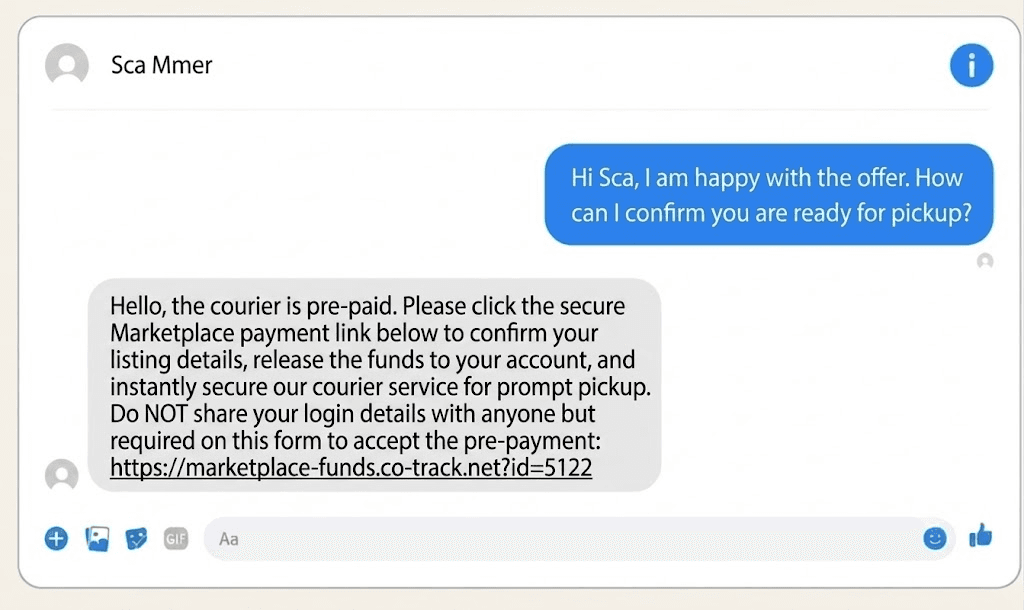
Overpayment scams
The buyer “accidentally” sends you more than the asking price, often with a fake payment confirmation email, then asks you to refund the difference. The original payment never existed or gets reversed. You’ve now sent real money to a stranger. If anyone overpays you, cancel the whole transaction.
Fake payment confirmations and lost package claims
Two versions of the same trick. In one, the buyer sends a screenshot or email that looks like a Zelle, PayPal, or bank confirmation, and pressures you to hand over the item while the payment is “pending.” In the other, the buyer receives the item, then claims the package never arrived and files a dispute to get their money back. Protect yourself by confirming money in your actual account (not a screenshot, not an email) before shipping, and by always shipping with tracking and signature confirmation.
Stolen credit cards
The buyer pays fast, full price, no questions. Weeks later the charge is disputed because the card was stolen, the payment is clawed back, and your item is gone. This is one reason instant, no-protection payments (Zelle, bank transfer, Cash App from strangers) cut both ways. For shipped items, payment methods with seller protection are worth the fee.
The prepaid shipping label
The buyer insists on sending you their own prepaid shipping label. There are two problems with that. The label may be bought with a stolen card, and it gives the buyer control over the shipment. They can reroute the package, then claim it never arrived, and the tracking will back them up because it was delivered to an address they chose. Always buy your own postage.
Sending the item before payment arrives
The simplest scam of all. The buyer invents a reason why you should ship first. The payment “needs a shipment confirmation to clear,” their app is “holding the money until tracking is added,” they’ll “pay double for the trouble.” No payment system works that way. Money in your account first, item second, every time.
The verification code scam (phone numbers and Google Voice)
A buyer asks for your phone number “to make sure you’re real,” then says they sent you a code and asks you to read it back. That code is a verification code, usually for Google Voice. If you share it, the scammer creates a Voice number tied to your phone and uses it to run scams that trace back to you. It can also be a code to reset one of your own accounts. Never share a verification code with anyone, for any reason.
Phishing links
“Click this link to confirm your listing,” “fill out this form so I can pay you,” “verify your account here.” The link leads to a fake Facebook or bank login page that harvests your credentials. Anything that requires you to click an external link and enter information is an attempt to steal that information.
Facebook Marketplace scam signs
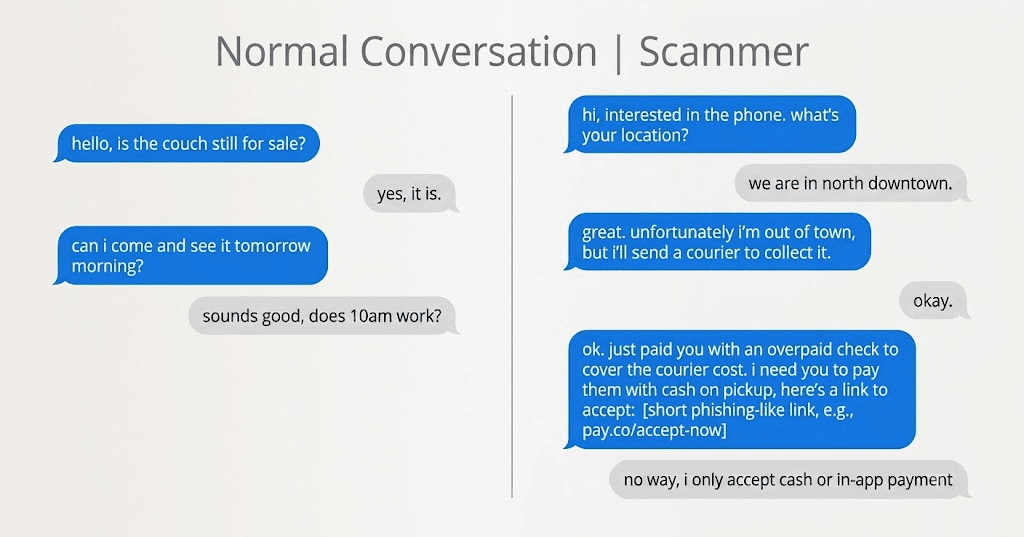
No single sign proves fraud, but these show up together in almost every scam.
The price is too good. A $1,200 phone for $400, a car at half book value. Scammers price to make you rush.
Immediate, pushy interest. A message seconds after you post, an offer above asking, pressure to close today. Real buyers ask questions and haggle. Scammers rush you because time is their enemy.
The account looks new or empty. Created recently, no profile photo or a stolen one, no friends, no history, no other listings, no local ties. Tap the profile before you reply to anyone. Marketplace also shows when an account joined Facebook, so a 2-week-old account offering to overpay for your couch tells you everything.
They want off Facebook fast. Moving to WhatsApp, Telegram, email, or text removes the conversation from the platform where you could report it.
Unusual payment requests. Gift cards, wire transfers, crypto, payment links they send you, QR codes, or overpayment of any kind.
They can’t meet or show the item. Out of town, deployed, selling for a relative, item is at a warehouse. Every one of these stories exists to explain why you must pay before seeing anything.
Grammar and script-like messages. Many scams are run from templates. If replies ignore what you actually asked, you’re talking to a script or a copy-paste operation.
Transaction safety rules that prevent most scams
The scams above look varied, but a short set of habits blocks nearly all of them.
- Meet in person, in public, in daylight. Many police stations offer designated “safe exchange” zones with cameras. For anything valuable, bring someone with you.
- Inspect and test before paying. Power it on, check the IMEI, start the car, walk through the apartment. If the seller resists inspection, that’s your answer.
- Use payment with protection for shipped items. PayPal Goods & Services or Marketplace checkout with purchase protection. Zelle, Venmo (friends mode), Cash App, wire transfers, and gift cards have no recourse and should only ever be used face to face, after inspection, if at all.
- Never pay deposits or advances for rentals, cars, or “holding” an item you haven’t seen.
- Keep the whole conversation in Messenger. It’s your evidence and Facebook’s basis for acting on a report.
- Never share verification codes, and don’t hand out your phone number. Messenger works fine for arranging a pickup.
- Confirm money in your account before releasing an item. Not a screenshot, not an email, not “pending.”
- Don’t click external links or scan QR codes sent by buyers or sellers.
What to do if you get scammed on Facebook Marketplace
If it already happened, act in this order. Speed matters most on the money.
1. Contact your bank or payment provider immediately. For card payments, request a chargeback. For PayPal Goods & Services, open a dispute in the Resolution Center. For bank transfers, call your bank’s fraud line; recovery is unlikely but a fast report is your only chance. Zelle, Cash App, and gift card payments are usually unrecoverable, but report them anyway, since providers do sometimes act on fraud reports.
2. Report the scam to Facebook. Facebook’s official page on avoiding Marketplace scams is here. To report:
- A listing: open the listing, tap the three dots (…), choose Report listing, then follow the prompts and select the reason (e.g., scam or fraud).
- A seller: on the listing, tap the seller’s name, tap the three dots on their profile, choose Report, then Scam.
- A buyer: open the Messenger conversation, tap the buyer’s name, scroll down, choose Report, then follow the prompts.
Reporting won’t get your money back by itself, but it can get the account removed and supports any dispute you file elsewhere.
3. Report it to the authorities. In the US, file at reportfraud.ftc.gov, and at ic3.gov if the scam happened online across state lines. In the UK, report to Action Fraud. Keep your report number; banks and card issuers ask for it.
4. Secure your accounts. If you clicked a link, entered credentials, or shared a code, change your Facebook and email passwords, turn on two-factor authentication, and check for a Google Voice number registered against your phone (you can reclaim your number in Google Voice settings).
5. Save everything. Screenshots of the listing, the profile, the full conversation, payment records, tracking numbers. Do this before reporting, because scammers delete listings and accounts fast.
A note on speed (and where alerts fit in)
Almost every rule above costs you time. Inspecting before paying, insisting on a public meetup, waiting for money to actually land in your account — each one is a delay a scammer will push you to skip. The pressure to move fast is the scam.
The place speed genuinely helps is earlier, before any conversation starts. Honestly priced listings from real local sellers get taken quickly, which is what leaves the underpriced-but-suspicious ones sitting there hours later. Seeing good listings the moment they go live means you contact real sellers first and spend less time negotiating with the leftovers.
That’s the part we built Lotify for, so read this knowing it comes from the makers. It watches Marketplace and other platforms for your keywords and sends a Telegram notification the moment a match appears. It won’t tell you whether a seller is honest — nothing can — so the rules above still apply to every deal. See Facebook Marketplace alerts for how it works on this platform.
Free Trial Available
Lotify offers a 7-day free trial with no registration or credit card required. Test it out and see how many deals you’ve been missing.
FAQ
How common are scams on Facebook Marketplace?
Very. TSB Bank flagged roughly a third of listings it sampled in 2024 as likely scams, and multiple surveys find over 60% of Marketplace users have encountered a scam attempt. Encountering one is near-certain if you use the platform regularly; losing money is avoidable.
What’s the single biggest red flag?
A price well below market value combined with any reason you can’t inspect the item before paying.
Does Facebook refund scam victims?
Purchases made with checkout on Facebook may qualify for Purchase Protection. Local cash deals, Zelle, and bank transfers arranged in Messenger are not covered. That’s why payment method choice matters more than anything else.
Should I give a buyer my phone number?
No. There’s no legitimate reason a Marketplace transaction needs it. Arrange everything in Messenger.

2026-07-31
